
Integrate Teamtailor and GetFler
GetFler and Teamtailor are a match made in heaven for recruiting!
Using Teamtailor ensures you always have great insight and clarity into your candidate pipeline and that you don't leave any candidate behind. With GetFler, you are ensured a steady stream of meetings with potential hires, normally people that are not actively looking for work, but that would be great additions to your team.
When Teamtailor and GetFler are connected, you can send your most promising leads straight to Teamtailor, so they are always in your pipeline.
Create an API key in Teamtailor
- Log in to your Teamtailor account at app.teamtailor.com.
- Click your company name in the top-right corner and select Settings.
- In the left sidebar, scroll down to Integrations and click API keys.
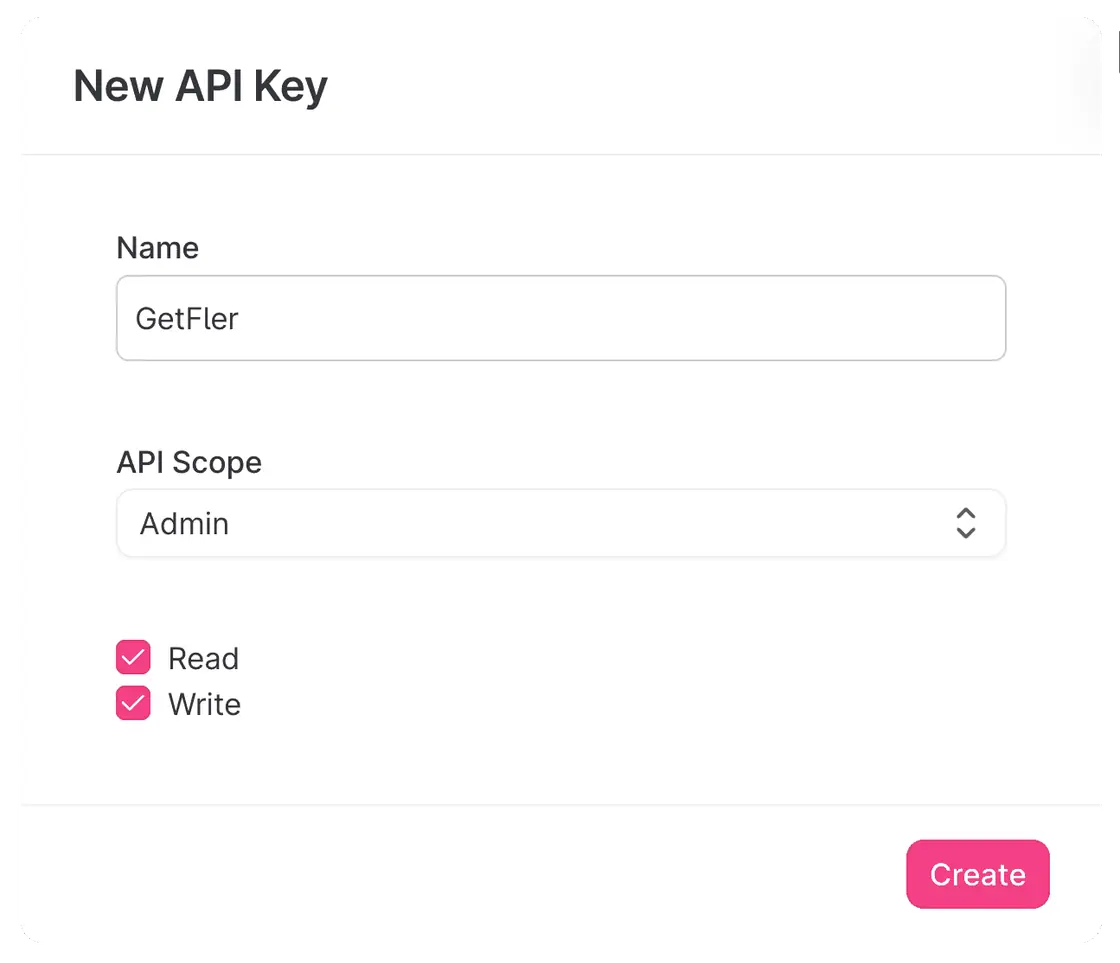
- Click "+ New API Key". Name it GetFler, set the scope to Admin and check both Read and Write. Then click Create.
- Copy the new API key.
Connect it in GetFler
- Log in to GetFler and open Settings → Account Connection.
- Under Teamtailor, click Connect API.
- Paste your API key and click Connect.
That’s it! From now on you can send candidates to Teamtailor with Push to Teamtailor: open a candidate in the inbox, or select candidates in your candidate list.
If you have any special requirements or run into any problem regarding this integration, just reach out to us and we'll help you out!